
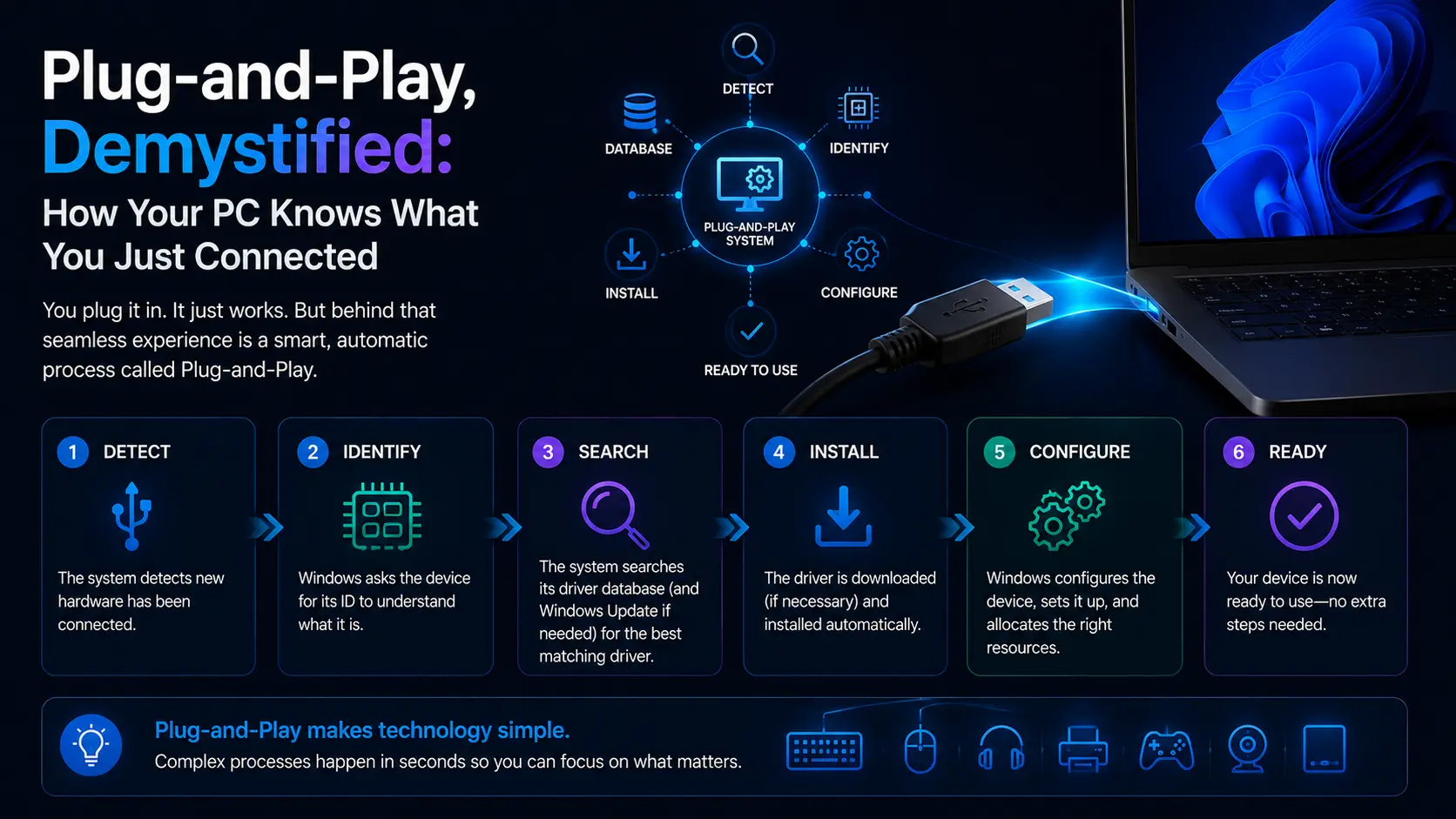
You plug in a device, and within a second your computer knows what it is, what it can do, and how to talk to it.
Step one: something's there
The moment you plug in, the port's electrical state changes, and the USB host controller — managed by its own driver — notices. It doesn't yet know what arrived, only that something did. It assigns the newcomer a temporary address so they can talk.
Step two: describe yourself
The system then asks the device to introduce itself, and the device answers with descriptors — a structured self-description that includes who made it, what model it is, and crucially, what class of device it is: keyboard, storage, audio, camera, and so on.
Step three: finding the translator
Armed with that description, the operating system searches for the best driver. Here's the elegant part: because devices declare a standard class, the OS ships with generic class drivers that can operate any compliant keyboard, mouse, or flash drive without downloading anything. That's why basic devices work instantly even on a fresh install. A device with abilities beyond its class — a mouse with configurable buttons, a specialised audio interface — gets the generic experience until its maker's specific driver is installed, which unlocks the rest.
Step four: power and resources
In parallel, the system negotiates power. Ports can only supply so much, and devices must ask before drawing more. This is why a power-hungry drive may misbehave on an unpowered hub but work fine connected directly — the negotiation failed upstream, nothing more mysterious than that.
When the choreography stumbles
Knowing the sequence makes the classic failures legible. An "unknown device" means step two failed — the introduction never arrived intact, which points at the cable or port far more often than the device. A device that connects and drops repeatedly suggests power negotiation or a port being put to sleep. A device that works basically but lacks its special features is simply running on the generic class driver, waiting for the maker's software. Swap the cable, try a port directly on the machine, install the maker's driver for full features. Three moves, mapped to three steps of the dance — and almost every plug-and-play problem yields to one of them.
End of Article
Written and maintained by the PC Driver Info editorial team