
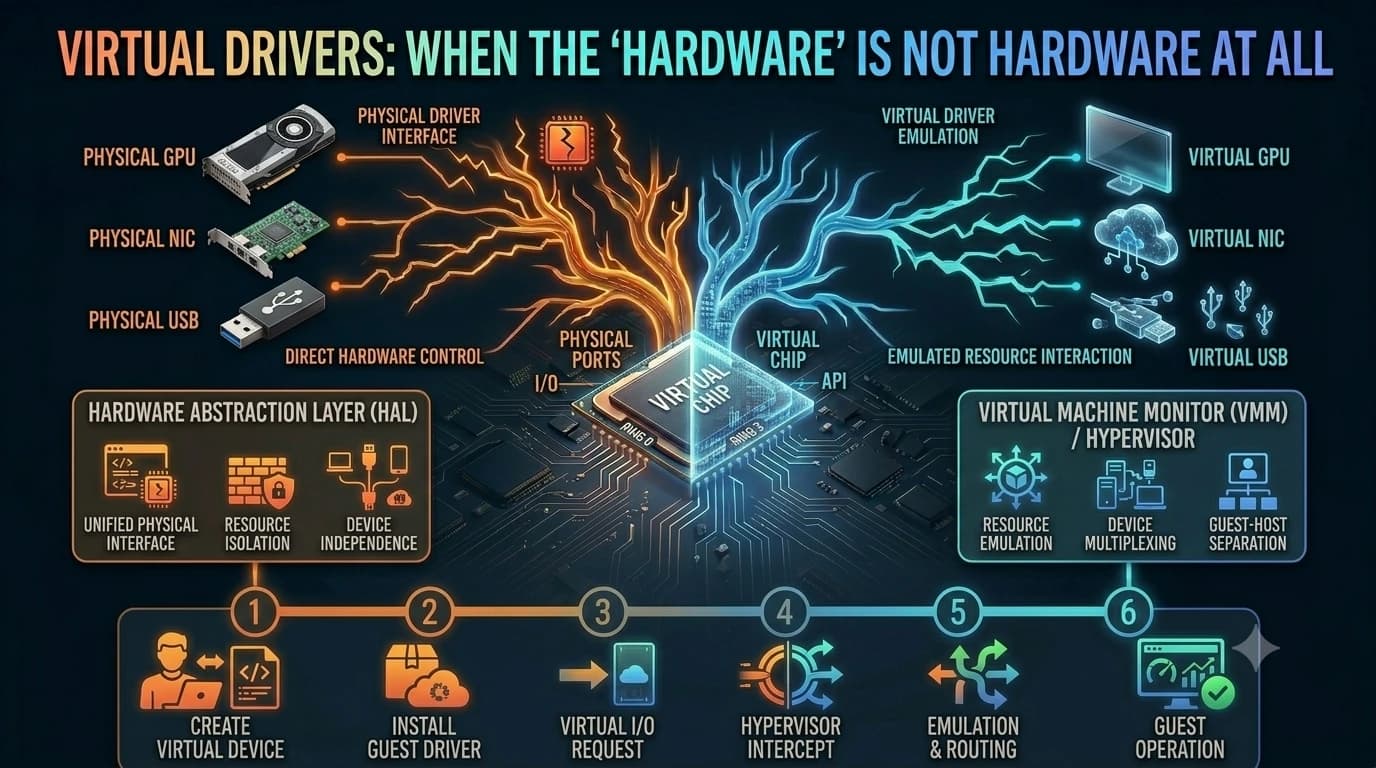
Some drivers don't talk to physical devices at all. They create virtual devices that trick your computer into doing useful things.
The virtual concept in one sentence
A virtual driver presents itself to your operating system as a real hardware device — a printer, a sound card, a network adapter — but doesn't talk to any physical hardware directly. Instead, it routes the work to software, other devices, or even the network.
Everyday examples you might use
Virtual printers turn documents into PDFs instead of paper. Virtual audio cables route sound from one app to another without speakers. Virtual network adapters power VPNs, connecting you to a remote network as if you were there in person.
Why this works so well
Because the OS thinks it's talking to a real device, you don't need special software to use the virtual one. Your regular apps and tools just work, and the virtual driver handles the magic of translating their requests into something else entirely.
The trade-offs
Virtual drivers are brilliant, but they can sometimes conflict with real ones, or introduce small performance overhead because they add another layer of processing. But for the convenience and flexibility they offer, the trade-off is almost always worth it.
End of Article
Written and maintained by the PC Driver Info editorial team